Articles in this section
How to set up Family Sharing?
Apple Family Sharing helps parents manage their child’s Apple devices more easily. It allows you to share purchases, subscriptions, screen time settings, and parental controls with your family members.
One parent or guardian — the organizer — can set up Apple Family Sharing for the family from their iPhone, iPad, or Mac.
On your iPhone or iPad
- Open Settings.
- Tap your Apple ID (your name at the top).
-
Select Family.
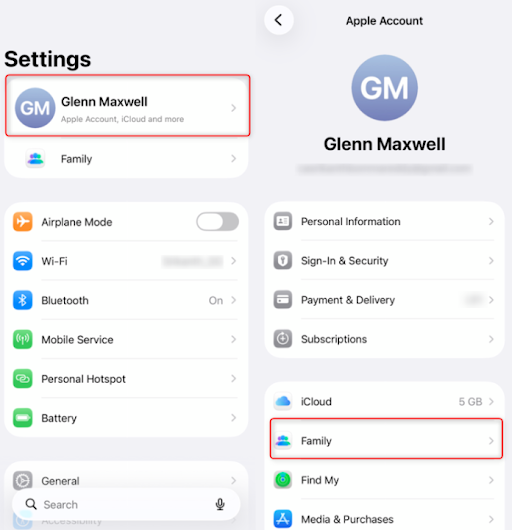
- Tap Add family member.
-
Tap Invite Others > Invite in Person.
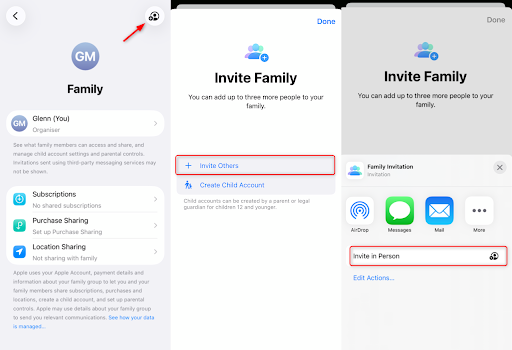
- Enter your Family member’s Apple ID email address and password
- Follow the on-screen instructions to complete the setup.
If your child doesn’t have an Apple ID, you can add them to Family sharing by creating an Apple ID for them.
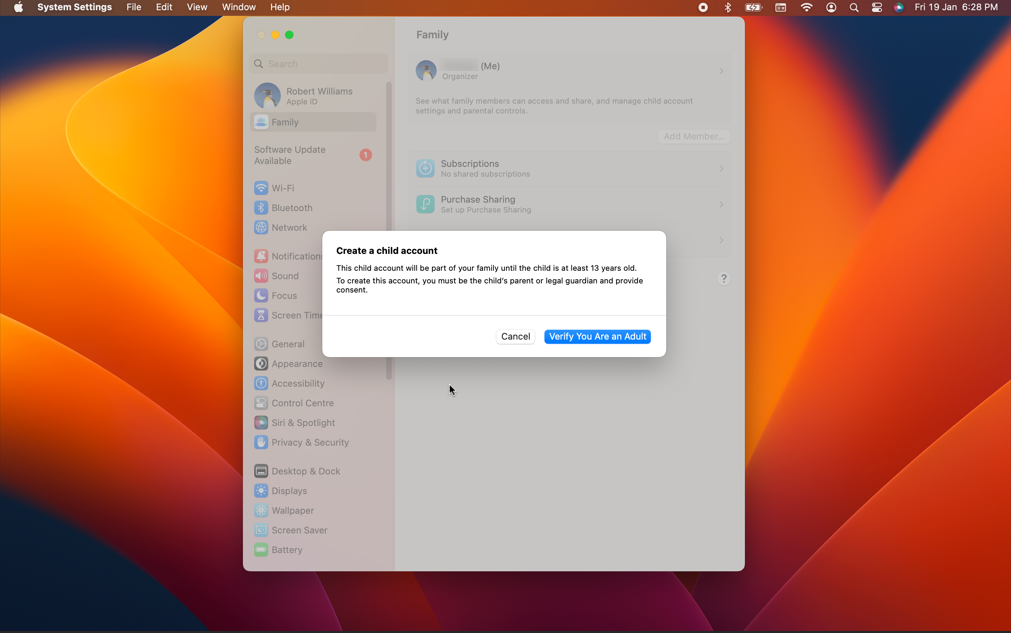
On your Mac
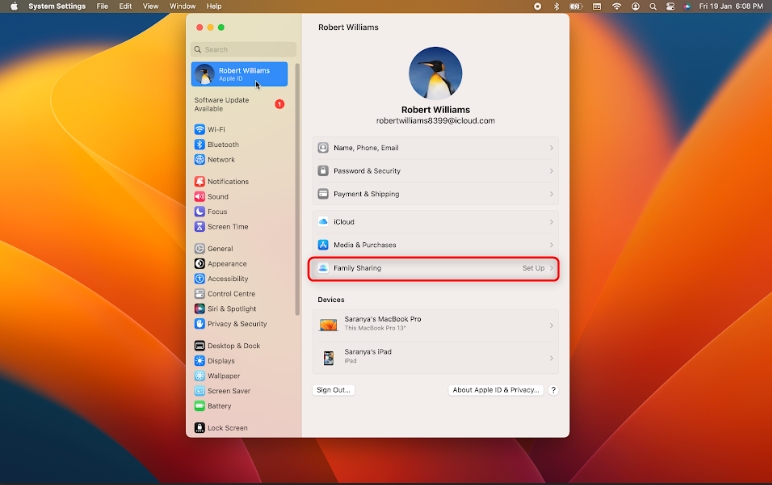
- Click the Apple menu and open System Settings.
- Select your Apple ID (your name).
- Click Family or Family Sharing.
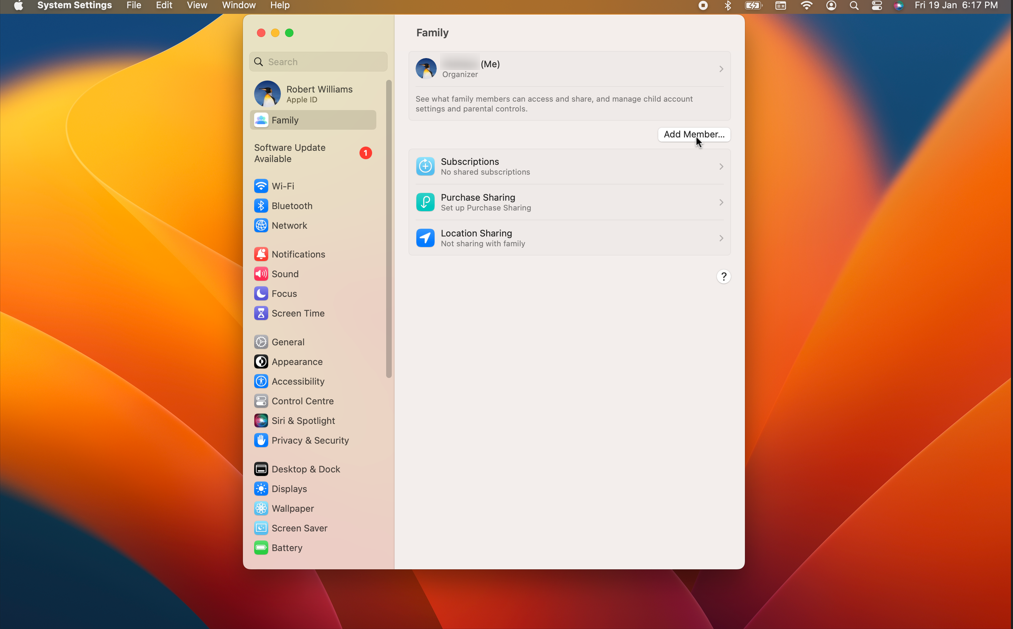
- Set up Family and Tap Add Member
- Follow the on-screen instructions to invite family members.

Have more questions ?