Articles in this section
How to create Apple IDs for your children?
Creating a separate Apple ID for your child helps you set up parental controls, manage screen time, and use features like Family Sharing more effectively.
There are two ways to create an Apple ID for your child, depending on their age and how you’d like to manage the account.
Option 1: Create an Apple ID from Apple’s Website
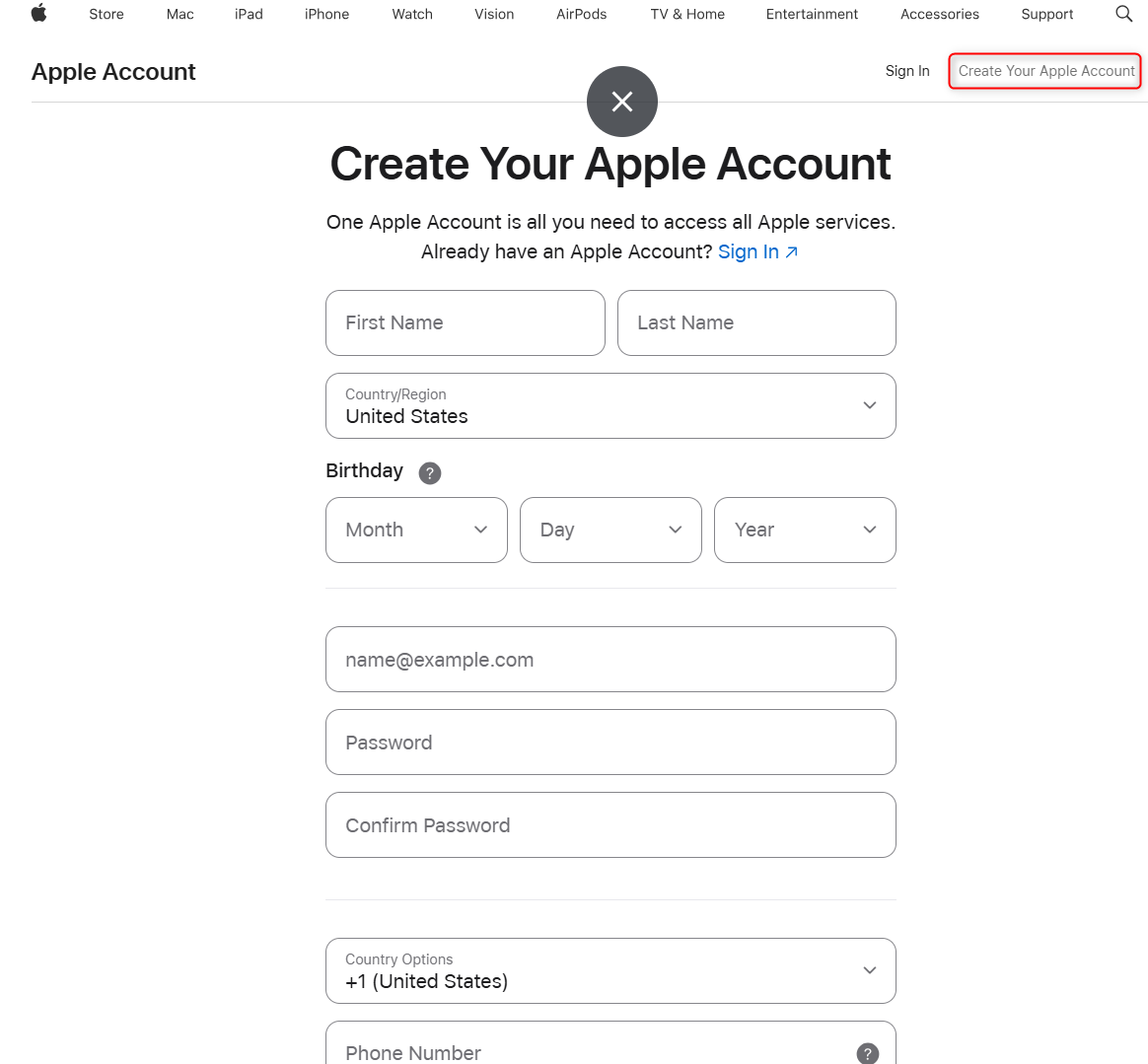
If your child is 13 years or older, you can create an Apple ID directly from the Apple Account page. Follow the on-screen instructions to create the account and then refer to this page to set up Family sharing for your child’s Apple ID.
Option 2: Create a Child Account Using Family Sharing
Children under 13 cannot create an Apple ID on their own. If you’re the family organizer or guardian, you can create one for them using Apple Family Sharing.
Before you begin
Make sure you already have your own Apple ID set up on your iPhone or iPad.
During the set up:
- You’ll create an Apple ID and password for your child
- If your child doesn’t already have an email address, Apple can create a free iCloud email address for them
- Apple will ask you to review and agree to parental consent terms before completing the setup
Create a Child Apple ID
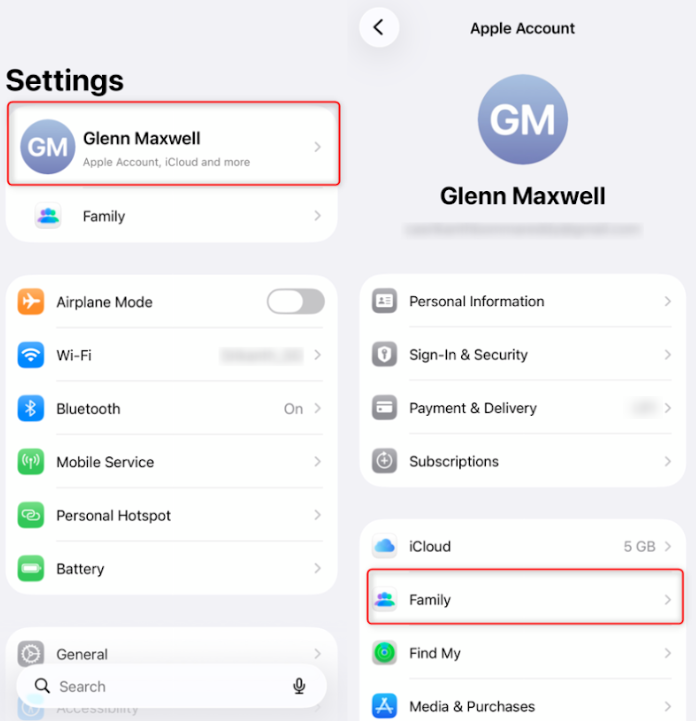
- Open Settings on your iPhone or iPad
- Tap your Apple ID at the top
-
Select Family and continue setting up Family Sharing if it isn’t already enabled.
- In the Family Sharing settings, tap Add Family Member.
- Select Create Child Account.
- Enter your child’s name and birth date.
- Follow the on-screen instructions to complete the setup.
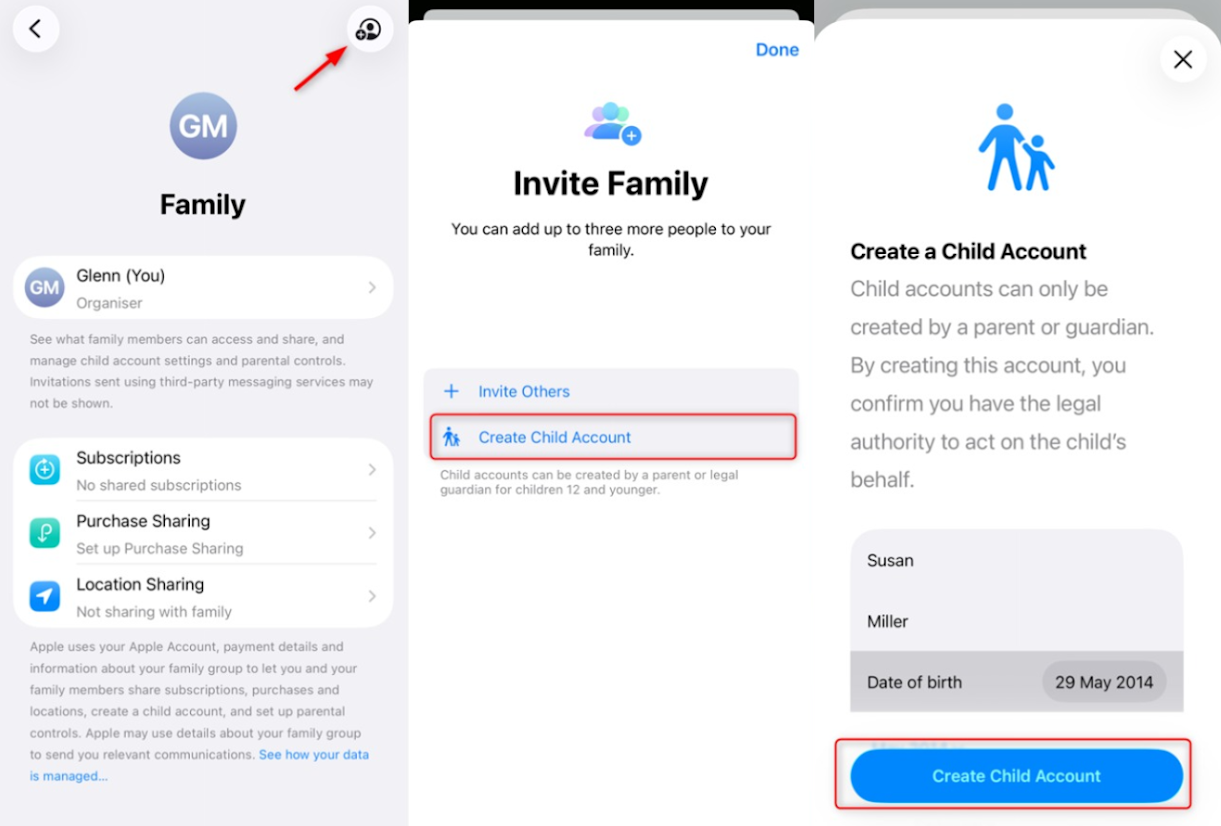
Once done, your child’s Apple ID will be created and automatically added to your Family Sharing group.