Articles in this section
How do I view my child's online activities?
- Does Mobicip offer live Call or Chat Support?
- Why is my customized setting not working on my child device?
- How to add a shared admin/parent in my Mobicip account?
- How to add a new device?
-
How do I view my child's online activities?
- How do I block all devices instantly?
- What is blocked during Sleep Time?
- Why isn’t your child’s location updating?
- How do Mobicip app time limits work on iOS devices?
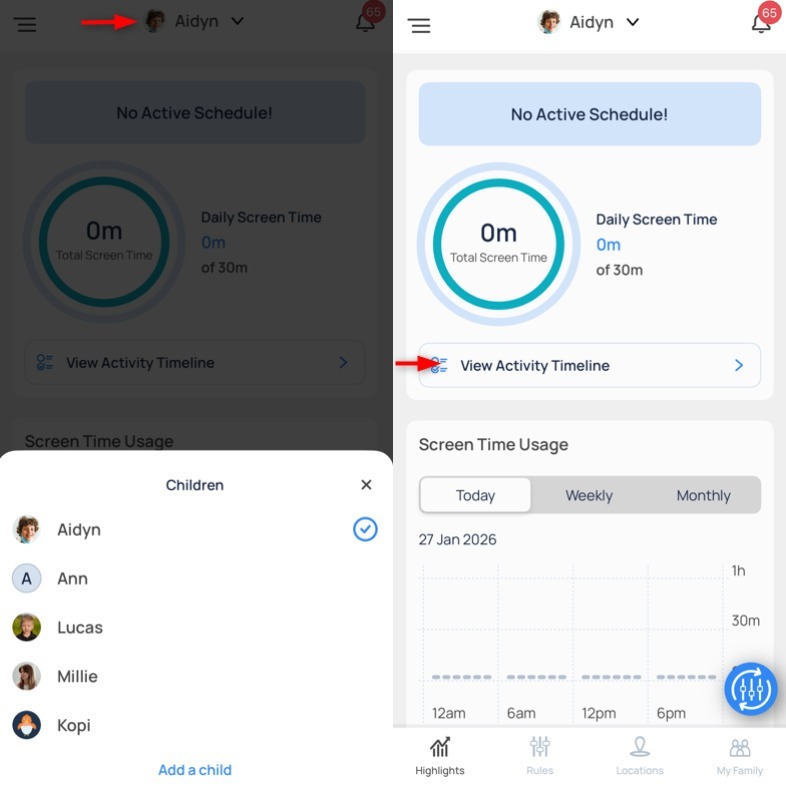
You can view a complete list of your child’s online activities through the Activity Timeline. Open the Mobicip parent app, select your child and tap View Activity Timeline.
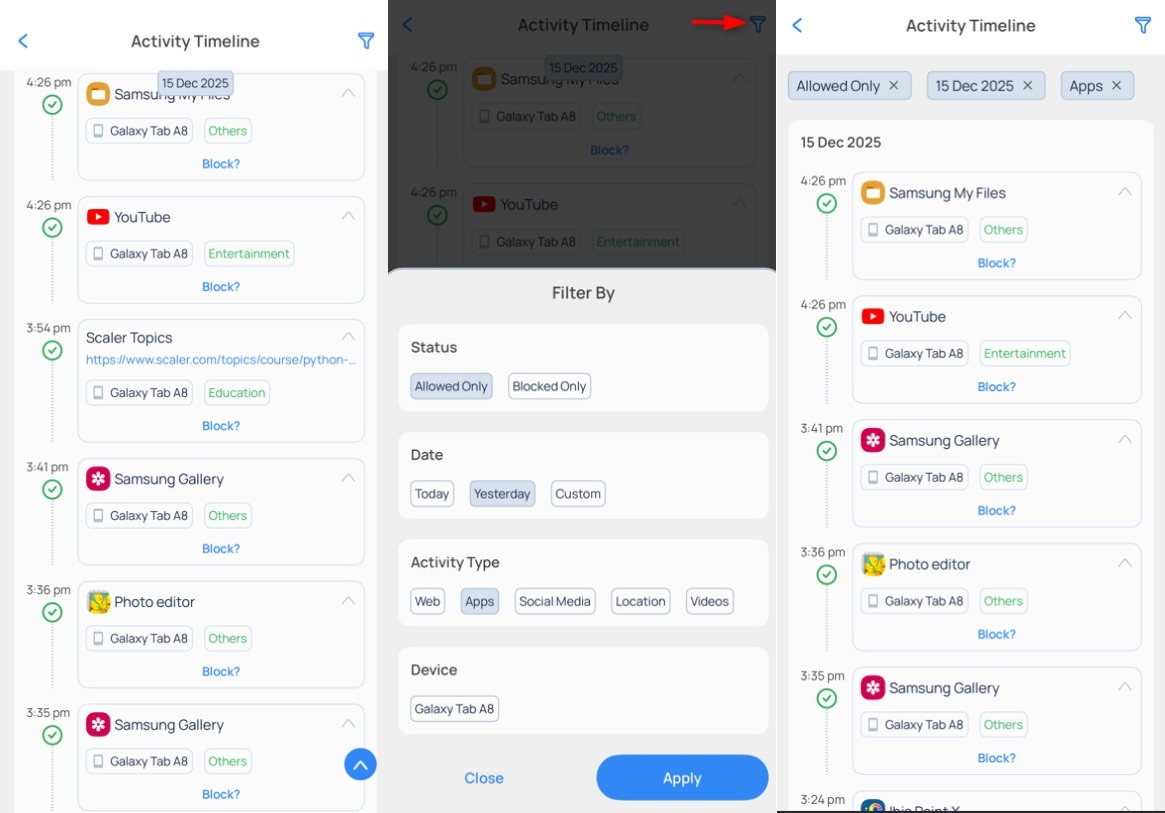
The enhanced activity timeline shows your child’s app usage, web activity and location history. You can filter the view by status, date, or activity type to quickly see what your child has been up to online.
Have more questions ?